









Garmin Pilot App: Dynamic Mapping
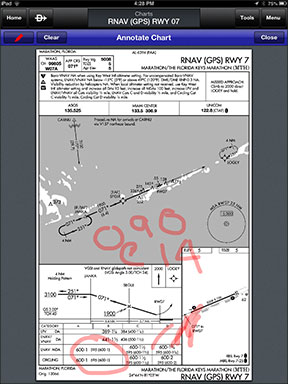
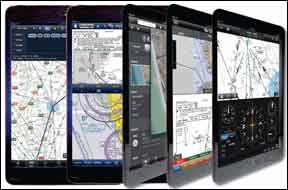
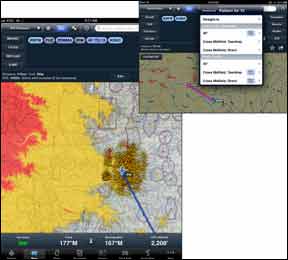
Any pilot who’s operated a Garmin aviation portable GPS will be familiar with dynamic navigation maps. Now, Garmin brings the familiar dynamic mapping to the latest version of the Pilot app.
Being able to make a trip nonstop is more than just convenience—it can be a safety of flight issue as the risk of an accident is highest during takeoff and landing. The reality is that most flights of four- and six-place airplanes are conducted with only one or two of the seats occupied and at something below gross weight. For many owners, that means that some sort of auxiliary fuel tanks can give their airplanes more range and potentially increase safety.
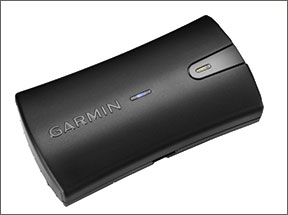
The performance of the internal GPS in Apple’s iPad can be hit or miss when used in many aircraft cabins. Some earlier flavors of the iPad don’t have GPS at all. For apps that offer navigation, you’ll need to ensure an uninterrupted GPS position fix. A remote GPS is the answer.
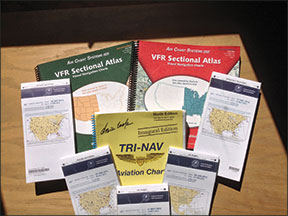
Despite all the developments in the world of electronic charts, many pilots still like paper. Reasons include avoiding what can be pricey electronic device updates, a perceived ease in keeping track of the geographic “big picture” beyond the magenta line and not being quite convinced that electronics are infallible, are infallible, are infallible.
Ever since the price of personal pulse oximeters dropped out of the stratosphere, we’ve owned one because it is a fast and easy way check to see if we are at risk of doing something foolish because the lungs aren’t delivering enough oxygen to the brain. Now that the selection of pulse oximeters is confusingly large, with prices from about $25 to over $200, we decided to examine a cross section. We found that the lowest priced units worked pretty well, the others under $100 weren’t necessarily much better, and the most expensive was worth the money if you are going to be using it frequently, want a warranty and may subject it to a rough environment.
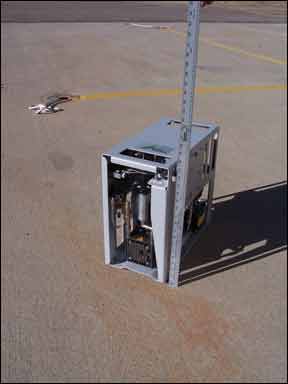
An oxygen concentrator is a way to have a supply of oxygen without having to deal with bottles or worry about whether they can be filled. We definitely like the concept, especially as we’ve “been there, done that” when it comes to getting an oxygen fill. Durr Technik developed Oxyfly and Oxyfly Light, two oxygen concentrators that will provide oxygen for up to six people at altitudes up to 18,000 feet. The units automatically compensate for altitude. They are designed to be portable, rather than installed equipment—although the Oxyfly weighs 55 pounds and the Oxyfly Light weighs 48.5 pounds—so they do not have to comply with FARs or equipment guidelines, just like your portable GPS. For our evaluation of the unit, we worked with two experienced A & P maintenance technicians, Terry Shafer, head of the shop at Vector Air on the Erie, Colorado Airport, and Michael Maya Charles.
Aviation tablet apps, of which there are dozens, have become like the proverbial streetcar. If you don’t see one you like, hang around; another will be along shortly. Or at least the one you’re considering will morph into something unrecognizable if you wait long enough. Pity the would-be buyer trying to sort through the clutter and claims. In this review, we’ll attempt to do just that with what we consider to be the five top apps for flight planning, navigation and chart handling: Bendix/King’s myWingman, AOPA’s FlyQ EFB, ForeFlight, Garmin’s Pilot and WingX. Yes, there are others, including Anywhere Map’s Freedom and Jeppesen’s Mobile FD, to name two. We’ll get to these in a future issue, but to keep the topic contained, we’ll examine only the apps we deem most popular based on sales and expressed reader interests. For our evaluation, we ran the apps on an iPad mini and although we’ve tried accessories such as Bluetooth ADS-B boxes, the only peripheral we used for this evaluation was Garmin’s GLO remote GPS receiver. Two of the apps are available for the Android OS, but we’ll save a review of those for a future report, too.
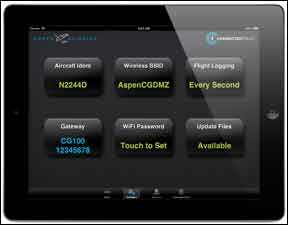
The thought of a wireless tablet computer interfacing with IFR-certified, panel-mounted avionics is enough to make an FAA inspector squirm in his polyester. Aspen Avionics—who has a knack for obtaining product certifications in short order—recently slid this concept and its CG100 WiFi hardware through FAA certification channels and earned STC approval. Connected Panel is an interface that’s sparking interest from a growing list of avionics manufacturers and app designers who are committed to joining Aspen’s open architecture. Could this be the start of WiFi-driven avionics? We think the system has serious growth potential and is worth considering when installing a multiscreen Aspen suite. The $2499 Connected Panel is essentially a communications network for flowing data from mobile devices—mainly Apple, for now, into compatible panel-mounted avionics. This data can include flight plans and comm radio frequencies, for loading into a GPS navigator, mainly Garmin’s GNS400W/500W and the future Aspen KSN770. Thanks to the wireless gateway, data can flow both ways—to or from the mobile device. For example, if you’ve ever wanted to send engine and fuel data into your iPad, Connected Panel could be the avenue for doing so, as long as there’s a compatible app designed for the task.
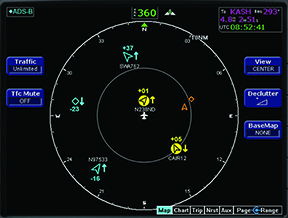
For those shopping for a traffic system upgrade, the selection has never been more complicated. Judging by the frequent calls and letters we get from confused buyers, it’s ADS-B that’s creating the confusion. The buying decision might be easier once you understand the theory behind ADS-B traffic and in particular, its limitations. You’ll also need to assess your flying mission and decide if the growing ADS-B system suits your mission better than active traffic alerting, known as TAS.
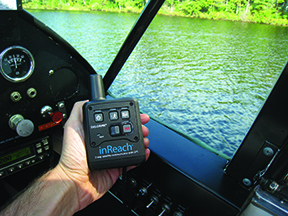
The inReach personal tracker by DeLorme combines some of the best features of Spot and Spidertracks. It offers all the essentials but isn’t cheap.
Apple’s insanely popular iPad has become the cockpit digital tool of choice for the pilot masses, but not without complaint. It’s a little too big and a little too heavy for convenient cockpit mounting and wouldn’t it be nice if it were a tad smaller? And that’s what the new iPad mini is—a smaller, more cockpit friendly version of the iPad.